
$9.99
Add to Cart
Virtual credit card for Paypal verification – Paypal VCC βœ… 2$ Balance βœ… FAST DELIVE
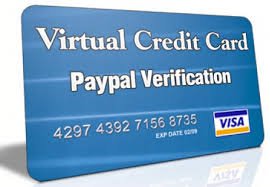
5 available
Details
Shipping: US-Mainland: free (more destinations)
Condition: Brand new
*The store has not been updated recently. You may want to contact the merchant to confirm the availability of the product.
BEFORE BUYING!!!!
READ THE DESCRIPTION CAREFULLY!!!!!
We will ship the Card Details within 1 hours after receiving the payment. (You will receive it less than 10 mins If I’m Actif )
1- Card is ANONYMOUS which means, it can be used under any name and address.
2- The Credit Card is only for PAYPAL .
3- Use the Card exactly after delivery. If you do not use the card in the next 24 hours, it may be destroyed .
4- The card is only used once and cannot be recharged.
5- Paid orders do not return.
6- Each card is only used for one service, using the card for multiple services will cause the card to be destroyed by the automated system.
You will get the following VCC details:
16 digit card number – Card validity
Expiration date (mm/yyyy)
Security code 3-digit code number CVV
Instruction about how to add the card in your PAYPAL account :
Sign in to your PAYPAL account.
Go to Wallet.
Below β€˜Debit and credit cards’, click Add a card.
Select the card type, enter the required details and click Save.
Click on Confirm card.
Contact me to getting the confirmation code.
all payment accepted,please contact
READ THE DESCRIPTION CAREFULLY!!!!!
We will ship the Card Details within 1 hours after receiving the payment. (You will receive it less than 10 mins If I’m Actif )
1- Card is ANONYMOUS which means, it can be used under any name and address.
2- The Credit Card is only for PAYPAL .
3- Use the Card exactly after delivery. If you do not use the card in the next 24 hours, it may be destroyed .
4- The card is only used once and cannot be recharged.
5- Paid orders do not return.
6- Each card is only used for one service, using the card for multiple services will cause the card to be destroyed by the automated system.
You will get the following VCC details:
16 digit card number – Card validity
Expiration date (mm/yyyy)
Security code 3-digit code number CVV
Instruction about how to add the card in your PAYPAL account :
Sign in to your PAYPAL account.
Go to Wallet.
Below β€˜Debit and credit cards’, click Add a card.
Select the card type, enter the required details and click Save.
Click on Confirm card.
Contact me to getting the confirmation code.
all payment accepted,please contact

