
$14.99
Add to Cart
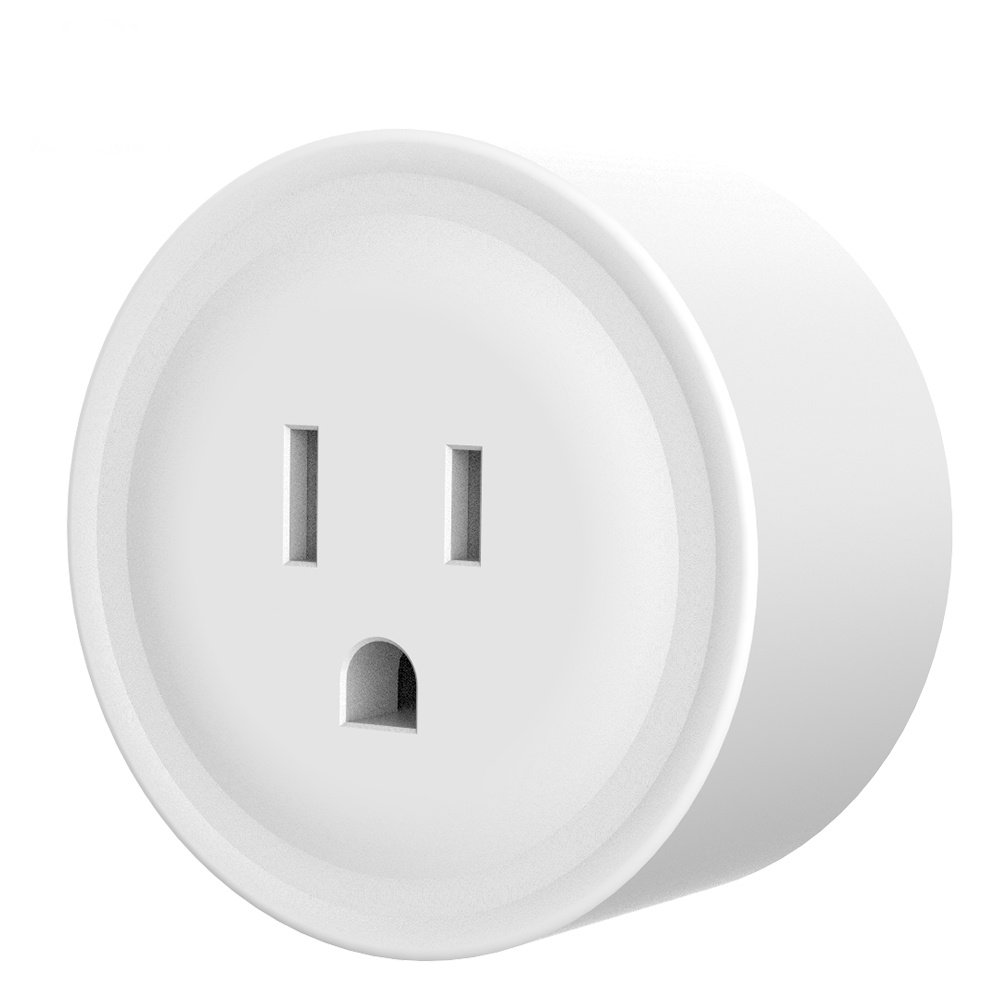
Mini WiFi Smart Plug Outlet Socket Compatible With Amazon Alexa Echo & Dot, Google Home
More than 10 available
Details
Shipping: US-Mainland: $2.00 (more destinations)
Sales Tax: check
Condition: Brand new
*The store has not been updated recently. You may want to contact the merchant to confirm the availability of the product.


EASY INSTALLATION: Setup takes only a few minutes. Setup requires downloading the Smart Life App from Google Play or from the Apple App Store and establishing connection with your home Wi-Fi network. Once the Smart Socket is paired with the Smart Life App, you can also pair it with Google Home or Amazon Echo/Alexa Products. (However, you do not need Amazon Alexa or Google Home to use the Smart Socket. Aside from Wi-Fi, and a smartphone with the downloaded app, no other equipment is needed.
EASY TO USE: Once paired with your Smart Life app, you have an option to share control of the Smart Socket with family or friends. You can control the Smart Socket through the Smart Life App, through Amazon Alexa, or Google Home. When integrated with Amazon Alexa devices, and Google Home devices you have the added benefit of voice activation. You also can create auto functions based on your preferences like time, sunrise/sunset, outside temperature, etc.
HIGH COMPATIBILITY: The Smart Socket operates using the 2.4GHz Wi-Fi band which is the most proliferate Wi-Fi band in the United States, (5GHz is not supported). Since this Smart Socket becomes an alternative to a standard socket, you can use with it a number of household devices such as; lamps, TVs, radios, set top boxes, and kitchen appliances. NOTE: Do not attempt use it with heavy machinery, or equipment that requires more than 10 amps.
INCONSPICUOUS: The Smart Socket’s compact design allows it to blend in with your home decor. It doesn’t make constant noise like a mechanical timer. The only time you will hear it is when it “clicks” as it turns off and on.
ENVIRONMENTALLY FRIENDLY: The Smart Socket empowers you with the ability plan out electricity use within your home through the timing and auto functions, effectively reducing your electricity bill and saving energy, while at the same time increasing your personal productivity and adding more convenience in your life. The more Smart Sockets you use, the more convenience and productivity you create, and the energy you save.
APP SETUP PROCEDURES:
- Search for "SmartLIfe" in the App store, Google Play Store, or Scan the QR code in the User Manual and install the App.
- Open the SmartLife App and create your user profile.
Plug the Smart Socket into any outlet.
- Follow procedures within the App (and included User Manual) to add the Smart Socket to your SmartLife App profile.
- If desired, configure your Smart Socket preferences within the SmartLife App, (timer, schedule, etc).
- Once you've created a profile, and added your Smart Socket to your profile, you can also share control of the App or family members who create their own SmartLife App profile.
CONNECTING TO ALEXA OR GOOGLE HOME:
- After setting up your Smart Socket with the SmartLife App, enable the SmartLife skill within the Alexa App.
- After setting up your Smart Socket with the SmartLife App, enable the SmartLife skill within the Google Home App.
SPECIAL NOTES:
- Please keep in mind that the SmartLife App should be set up first before attempting to set up a connection with Alexa or Google Home.
- If your Smart Socket is not blinking rapidly in order to pair with the SmartLife App, long press the button on the Smart Socket for 5-10 seconds.
- After you've added the SmartLife skill to your Alexa or Google Home account, each time you add an additional Smart Socket, you'll need to disconnect and reconnect the SmartLife skill from Alexa/Google in order to be able to voice-control the new Smart Socket.
- 7% Sales tax is applied for shipments to Indiana
- PayPal is currently the only accepted payment method for our listings.
- Payment must be from a confirmed and verified PayPal account.
- Buyers with unconfirmed or unverified PayPal accounts will have their transaction refused. (Sorry, but we have to do this to protect against fraud).
- Payment is due immediately upon the purchase.
- Products are usually packaged for shipment same-day.
- If timing allows, shipping happens same-day as well.
- We accept returns within 14 days of your receipt of the product.
EASY TO USE: Once paired with your Smart Life app, you have an option to share control of the Smart Socket with family or friends. You can control the Smart Socket through the Smart Life App, through Amazon Alexa, or Google Home. When integrated with Amazon Alexa devices, and Google Home devices you have the added benefit of voice activation. You also can create auto functions based on your preferences like time, sunrise/sunset, outside temperature, etc.
HIGH COMPATIBILITY: The Smart Socket operates using the 2.4GHz Wi-Fi band which is the most proliferate Wi-Fi band in the United States, (5GHz is not supported). Since this Smart Socket becomes an alternative to a standard socket, you can use with it a number of household devices such as; lamps, TVs, radios, set top boxes, and kitchen appliances. NOTE: Do not attempt use it with heavy machinery, or equipment that requires more than 10 amps.
INCONSPICUOUS: The Smart Socket’s compact design allows it to blend in with your home decor. It doesn’t make constant noise like a mechanical timer. The only time you will hear it is when it “clicks” as it turns off and on.
ENVIRONMENTALLY FRIENDLY: The Smart Socket empowers you with the ability plan out electricity use within your home through the timing and auto functions, effectively reducing your electricity bill and saving energy, while at the same time increasing your personal productivity and adding more convenience in your life. The more Smart Sockets you use, the more convenience and productivity you create, and the energy you save.
APP SETUP PROCEDURES:
- Search for "SmartLIfe" in the App store, Google Play Store, or Scan the QR code in the User Manual and install the App.
- Open the SmartLife App and create your user profile.
Plug the Smart Socket into any outlet.
- Follow procedures within the App (and included User Manual) to add the Smart Socket to your SmartLife App profile.
- If desired, configure your Smart Socket preferences within the SmartLife App, (timer, schedule, etc).
- Once you've created a profile, and added your Smart Socket to your profile, you can also share control of the App or family members who create their own SmartLife App profile.
CONNECTING TO ALEXA OR GOOGLE HOME:
- After setting up your Smart Socket with the SmartLife App, enable the SmartLife skill within the Alexa App.
- After setting up your Smart Socket with the SmartLife App, enable the SmartLife skill within the Google Home App.
SPECIAL NOTES:
- Please keep in mind that the SmartLife App should be set up first before attempting to set up a connection with Alexa or Google Home.
- If your Smart Socket is not blinking rapidly in order to pair with the SmartLife App, long press the button on the Smart Socket for 5-10 seconds.
- After you've added the SmartLife skill to your Alexa or Google Home account, each time you add an additional Smart Socket, you'll need to disconnect and reconnect the SmartLife skill from Alexa/Google in order to be able to voice-control the new Smart Socket.
- 7% Sales tax is applied for shipments to Indiana
- PayPal is currently the only accepted payment method for our listings.
- Payment must be from a confirmed and verified PayPal account.
- Buyers with unconfirmed or unverified PayPal accounts will have their transaction refused. (Sorry, but we have to do this to protect against fraud).
- Payment is due immediately upon the purchase.
- Products are usually packaged for shipment same-day.
- If timing allows, shipping happens same-day as well.
- We accept returns within 14 days of your receipt of the product.

