
$32.99
Add to Cart
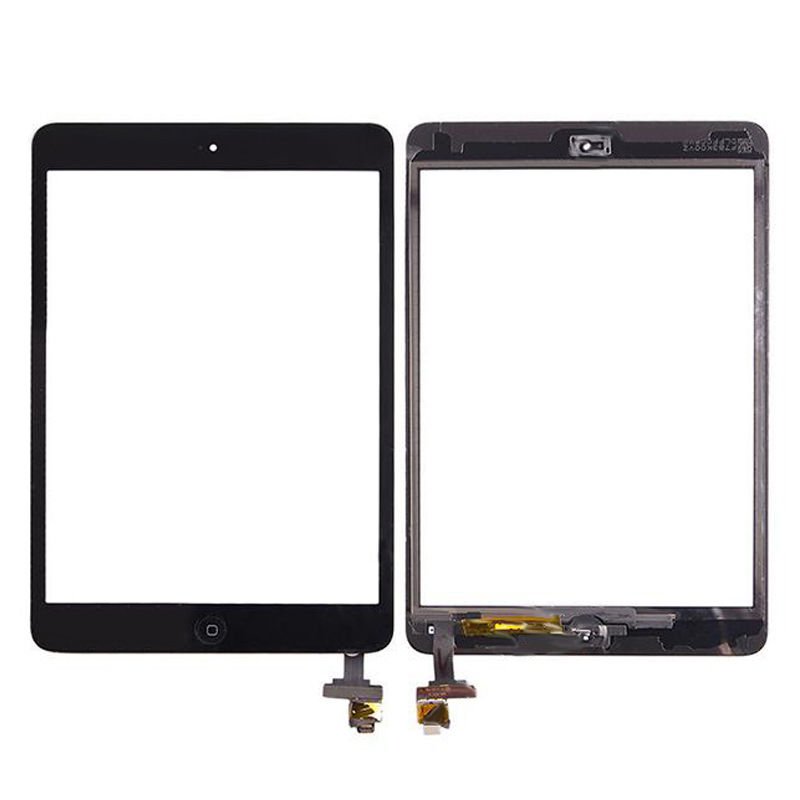
USA Touch Screen Glass Digitizer IC Connector Home Button Flex for Ipad Mini 1 2
10 available
Details
Shipping: US-Mainland: free (more destinations)
Condition: Brand new
*The store has not been updated recently. You may want to contact the merchant to confirm the availability of the product.
iPad Mini Digitizer Touch Screen
Grade A High quality
Complete Touch Digitizer Screen with Home Button Flex & IC Connector
Home Button flex already soldered | Simply transfer your original home button over
In stock and ready to ship
Save your phone and money by using these parts
Best replacement for your iPad Mini
Perfect Condition (no bubbles)
Compability:
Apple iPad Mini
(1 and 2 Gerenation)
What you get:
1 x iPad Mini Touch Glass with home flex + IC connector Assembly
Installation Instruction:
On the iPad Mini, locate the two foam ridges on either side of the home button. Remove the foam ridges, which often interfere with touch functionality. These can either be pulled off the frame or shaved down with a sharp utensil, such as an X-Acto Knife or Hobby Knife. This process can solve the issues of touch functions acting randomly once the repair is done. This happens during the repair because the foam ridges stick up from the frame and they are making contact with the digitizer. This then causes the digitizer to randomly act on it’s own. Once these foam pieces are removed or shaved down and there is no contact between them and the glass, the digitizer will function as normal.
On the bottom of SOME of our iPad Mini’s we have a black strip going across the entire bottom. It’s an adhesive of sorts. It is above the home button and covers a gold strip along the bottom of the glass. Remove it.
Please note the cables are very sensitive, please be careful during assembly.
If you tear the cables, it voids any warranties.
Grade A High quality
Complete Touch Digitizer Screen with Home Button Flex & IC Connector
Home Button flex already soldered | Simply transfer your original home button over
In stock and ready to ship
Save your phone and money by using these parts
Best replacement for your iPad Mini
Perfect Condition (no bubbles)
Compability:
Apple iPad Mini
(1 and 2 Gerenation)
What you get:
1 x iPad Mini Touch Glass with home flex + IC connector Assembly
Installation Instruction:
On the iPad Mini, locate the two foam ridges on either side of the home button. Remove the foam ridges, which often interfere with touch functionality. These can either be pulled off the frame or shaved down with a sharp utensil, such as an X-Acto Knife or Hobby Knife. This process can solve the issues of touch functions acting randomly once the repair is done. This happens during the repair because the foam ridges stick up from the frame and they are making contact with the digitizer. This then causes the digitizer to randomly act on it’s own. Once these foam pieces are removed or shaved down and there is no contact between them and the glass, the digitizer will function as normal.
On the bottom of SOME of our iPad Mini’s we have a black strip going across the entire bottom. It’s an adhesive of sorts. It is above the home button and covers a gold strip along the bottom of the glass. Remove it.
Please note the cables are very sensitive, please be careful during assembly.
If you tear the cables, it voids any warranties.


