
$96.99
On Hold
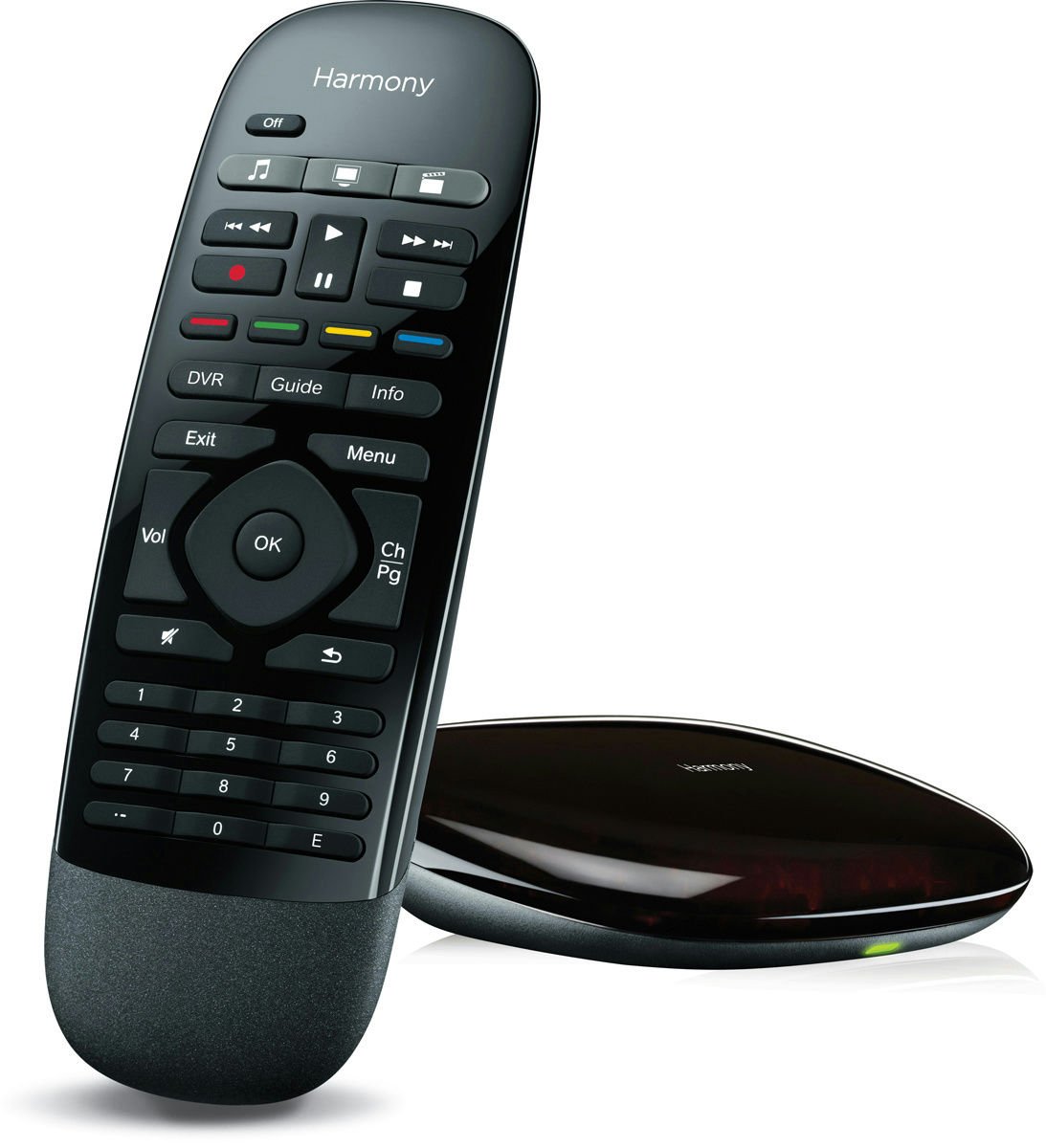
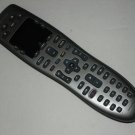
Logitech Harmony Smart Control 915-000194 with Smartphone App and Simple Remote
10 available
Details
Shipping: US-Mainland: free (more destinations)
Sales Tax: check
Condition: Brand new
*The store has not been updated recently. You may want to contact the merchant to confirm the availability of the product.


Ships Within 1-3 Business Days COMES IN BULK PACKAGE
Turn your smartphone into a one-touch universal remote
Now you can control your entertainment system from your smartphone. The Harmony Hub combined with a powerful app give you personalized control of up to eight devices — even through closed cabinets and walls. Plus, you get a simple Harmony remote for everyone in the house when you’re smartphone isn’t handy.
Harmony smartphone app
Powerful Harmony smartphone app
Anyone in the house can download the app and turn their smartphone into a personal universal remote1
One-touch activity control — simply tap “Watch TV” or “Watch a movie” and Harmony powers on the right devices to the right settings
Works with iPhone (iOS 5 and later) and Android smartphones (2.3 and later)
customizable control
One-touch customizable control
Swipe and tap to change channels, adjust volume, fast-forward or rewind
50 easy-to-customize channel icons — access your favorite channels with one tap2
Organize and re-order buttons, activities, and favorite channel icons the way you like them — right on your smartphone
Hub
Closed-cabinet and game console control
Included Harmony Hub turns RF signals from the app and remote into IR/Bluetooth commands your devices can understand
Control devices you can’t see — behind cabinet doors or inside nearby closets
Control your PS3, Wii or Xbox360, including your Internet subscription services, like Netflix or Hulu
Smart control remote
Comes with a handheld remote for the house
Gives everyone at home easy control of your entertainment system when your smartphone isn’t handy
Simple all-button Harmony universal remote
Works with the Harmony Hub for control of devices in closed cabinets
Controls 8 devices
Works with virtually any device
Controls up to 8 devices you own today and add tomorrow
Works with over 225,000 devices from 5,000 brands
Future proof — online library makes it easy to update your smartphone and remote with new devices and commands.
Easy Setup
Easy guided online setup
Use the guided online set up from your computer or the new smartphone set up made for iPhone 4S or later or Android smartphones with Bluetooth 3.0. Screen prompts guide you to set up your app and remote with the commands for your devices
Live customer support is ready to help if you need it.
1. Compatible with iOS 5.0 or later and Android 2.3 or later.
2. Remote screen images are for illustrative purposes. Channel availability subject to your local service provider.
3. PS3, Wii or Xbox 360
What you need:
iOS:
iPad, iPhone, or iPod touch with iOS 5.0 or later
Logitech Harmony App (free download from Apple App Store4)
Bluetooth LE required for mobile setup
Android:
Wi-Fienabled smartphone with Android 2.3 or later
Logitech Harmony App (free download from Google Play4)
Bluetooth 3.0 required for mobile setup
Windows-based PC for setup:
Windows XP, Vista, 7 or 8
USB port
Mac for setup:
Mac OS X 10.5 or later
USB port
Broadband Internet Connection
802.11 b/g/n wireless home network
– Supports WPA Personal, WPA2-AES and 64/128 bit WEP encryption)
What's in the box?
Harmony Hub
Remote control
IR mini blaster
USB cable
AC adapter
User guide is not included but available for download from Logitech website
Turn your smartphone into a one-touch universal remote
Now you can control your entertainment system from your smartphone. The Harmony Hub combined with a powerful app give you personalized control of up to eight devices — even through closed cabinets and walls. Plus, you get a simple Harmony remote for everyone in the house when you’re smartphone isn’t handy.
Harmony smartphone app
Powerful Harmony smartphone app
Anyone in the house can download the app and turn their smartphone into a personal universal remote1
One-touch activity control — simply tap “Watch TV” or “Watch a movie” and Harmony powers on the right devices to the right settings
Works with iPhone (iOS 5 and later) and Android smartphones (2.3 and later)
customizable control
One-touch customizable control
Swipe and tap to change channels, adjust volume, fast-forward or rewind
50 easy-to-customize channel icons — access your favorite channels with one tap2
Organize and re-order buttons, activities, and favorite channel icons the way you like them — right on your smartphone
Hub
Closed-cabinet and game console control
Included Harmony Hub turns RF signals from the app and remote into IR/Bluetooth commands your devices can understand
Control devices you can’t see — behind cabinet doors or inside nearby closets
Control your PS3, Wii or Xbox360, including your Internet subscription services, like Netflix or Hulu
Smart control remote
Comes with a handheld remote for the house
Gives everyone at home easy control of your entertainment system when your smartphone isn’t handy
Simple all-button Harmony universal remote
Works with the Harmony Hub for control of devices in closed cabinets
Controls 8 devices
Works with virtually any device
Controls up to 8 devices you own today and add tomorrow
Works with over 225,000 devices from 5,000 brands
Future proof — online library makes it easy to update your smartphone and remote with new devices and commands.
Easy Setup
Easy guided online setup
Use the guided online set up from your computer or the new smartphone set up made for iPhone 4S or later or Android smartphones with Bluetooth 3.0. Screen prompts guide you to set up your app and remote with the commands for your devices
Live customer support is ready to help if you need it.
1. Compatible with iOS 5.0 or later and Android 2.3 or later.
2. Remote screen images are for illustrative purposes. Channel availability subject to your local service provider.
3. PS3, Wii or Xbox 360
What you need:
iOS:
iPad, iPhone, or iPod touch with iOS 5.0 or later
Logitech Harmony App (free download from Apple App Store4)
Bluetooth LE required for mobile setup
Android:
Wi-Fienabled smartphone with Android 2.3 or later
Logitech Harmony App (free download from Google Play4)
Bluetooth 3.0 required for mobile setup
Windows-based PC for setup:
Windows XP, Vista, 7 or 8
USB port
Mac for setup:
Mac OS X 10.5 or later
USB port
Broadband Internet Connection
802.11 b/g/n wireless home network
– Supports WPA Personal, WPA2-AES and 64/128 bit WEP encryption)
What's in the box?
Harmony Hub
Remote control
IR mini blaster
USB cable
AC adapter
User guide is not included but available for download from Logitech website
You may also be interested in:
-
$3.95
-
$34.95
-
$16.99
-
$9.95
-
$7.99
-
$10.95

-
$44.99
-
$16.99
-
$11.99
-
$45.00


