
$45.99
On Hold
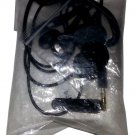
Soundance Mini Lightweight Voice Control Wireless Stereo in-ear headset Sports Black-Green

10 available
Details
Shipping: US-Mainland: free (more destinations)
Sales Tax: check
Condition: Brand new
*The store has not been updated recently. You may want to contact the merchant to confirm the availability of the product.


Ships Within 1-3 Business Days
Color: Black-Green
Charging your headset :
Connect the charge cable to the headset charge port and a USB charge port. The LED indicator will turn red when charging and turn blue when charging completes.
Turning on/off your headset:
To turn on: Press and hold the Multi-Function Button (MFB) for 3 seconds until the LED flashes blue and there is a voice from headphone saying" Power on". To turn off: Press and hold the MFB for 5 seconds until the LED flashes red and there is a voice from the headphone saying "Power off".
Paring your headset:
1.Press and hold the MFB button for 5 seconds until the LED flashes red and blue alternately. 2.Activate the Bluetooth function of your mobile phone or other Bluetooth devices. 3.Set your cell phone to search for Bluetooth devices and select "T1" from the list of devices shown.
Answering/Rejecting/Ending a call :
When there is an incoming call, you will heart "Would you like to accept the call? Yes or No?" Just say "Yes" or "No" to answer or reject the call. Alternatively, you can press the MFB button once to answer the incoming call or press and hold the MFB button for 3 seconds to reject the incoming call. Press the MFB button once during a call to end the call.
Last Number Redial from your Headset:
In standby mode, double press the MFB button to redial the last number.
Play/Pause Music :
When playing music, press MFB button once to pause, and press the button again to continue to play.
Adjusting volume :
During phone call or when listening to music, press and hold the volume/track button until you reach the desired volume level.
Last/Next Track :
When playing music, a short press of the last track/volume+ or next track/volume- button to jump to last or next track.
Color: Black-Green
Charging your headset :
Connect the charge cable to the headset charge port and a USB charge port. The LED indicator will turn red when charging and turn blue when charging completes.
Turning on/off your headset:
To turn on: Press and hold the Multi-Function Button (MFB) for 3 seconds until the LED flashes blue and there is a voice from headphone saying" Power on". To turn off: Press and hold the MFB for 5 seconds until the LED flashes red and there is a voice from the headphone saying "Power off".
Paring your headset:
1.Press and hold the MFB button for 5 seconds until the LED flashes red and blue alternately. 2.Activate the Bluetooth function of your mobile phone or other Bluetooth devices. 3.Set your cell phone to search for Bluetooth devices and select "T1" from the list of devices shown.
Answering/Rejecting/Ending a call :
When there is an incoming call, you will heart "Would you like to accept the call? Yes or No?" Just say "Yes" or "No" to answer or reject the call. Alternatively, you can press the MFB button once to answer the incoming call or press and hold the MFB button for 3 seconds to reject the incoming call. Press the MFB button once during a call to end the call.
Last Number Redial from your Headset:
In standby mode, double press the MFB button to redial the last number.
Play/Pause Music :
When playing music, press MFB button once to pause, and press the button again to continue to play.
Adjusting volume :
During phone call or when listening to music, press and hold the volume/track button until you reach the desired volume level.
Last/Next Track :
When playing music, a short press of the last track/volume+ or next track/volume- button to jump to last or next track.
You may also be interested in:
-
$6.99
-
$49.95
-
$309.99
-
$25.00
-
$11.20

-
$99.20

-
$11.99

-
$17.45

-
$7.00
-
$4.60


